

Basic SAP Search Help creation to be used within your ABAP program, database, field or domain
The following steps show you how to create a basic SAP search help which allows you to provide the user with a selection help for a specific input field. A search help in its simplest form will just display a list of values from a single database table or view (selection method), which the user can select an option from. The value they select will then be entered into the input field the search help was requested from.
Step1 - Create Search help
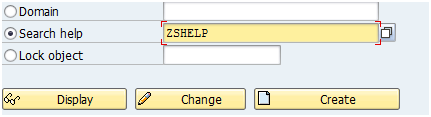
Execute transaction SE11 and create a new search help called 'ZSHELP'. Please note this can be anything starting with Z that fits in the box
but in some older SAP systems must be less than 5 characters long to be used as matchcode)
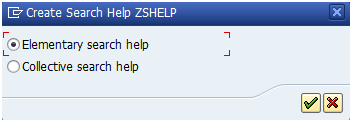
Select Elementary search help
Step2 - Enter basic details
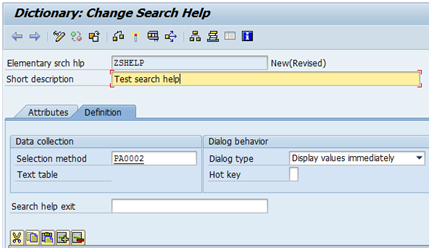
Enter a short description and PA0002 into the selection method field, this is basically the table the search help gets it data
from
Step3 - Enter search help parameters
The next step is to add the fields that are going to be used by this search help as parameters i.e. those that appear in the output
list or selection screen. To do this click the dropdown option of the first search help parameter
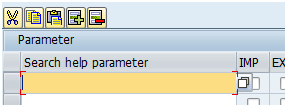
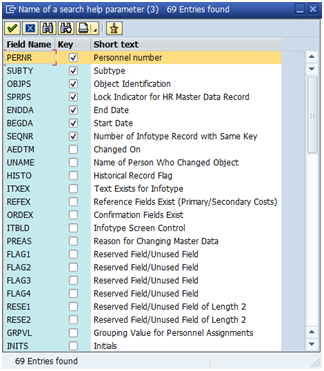
Then select the appropriate field from the list (PERNR)
Repeat this for fields NCHMC and VNAMC
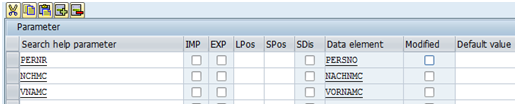
IMP - Import values from the screen/field to the search help
EXP - Export value back to the input field(s)
LPOS - Position on the output list the user selects from
SPOS - Position on the selection screen if your search help to have select options which the user can enter to restrict further the search help value list by.
Default - Add a default value the field is populated with
Step4 - Save, activate and test
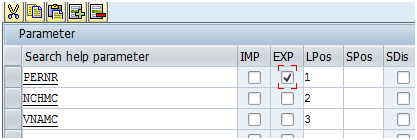
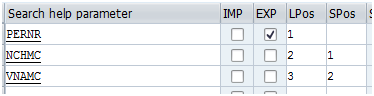
Enter LPos values as follows (3,1,2) and tick the EXP column for the pernr field. This is the field who's value you want to be returned
when the user selects an option/row.
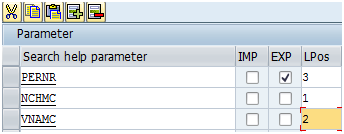
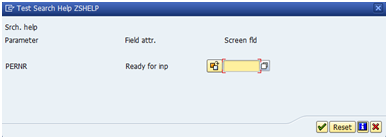
Save and activate the search help and press the test button, a screen will appear showing how the search help
will appear on a pernr field. Press the search help button at the end of the field
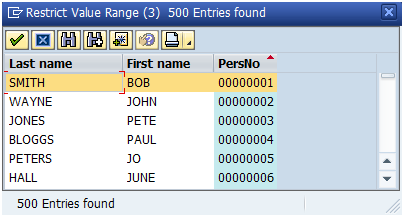
The search help output will now look like this with the fields in the order you specified then in the LPOS field
Step5 - Change output order
Now enter LPos values as follows (1,2,3)
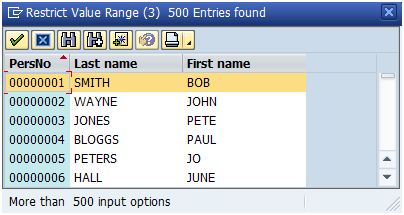
If you save, activate and test the search help again you will see that the output order has changed
Step6 - Add selection options
Now enter 1 and 2 against parameters NCHMC and VNAME within the SPos column
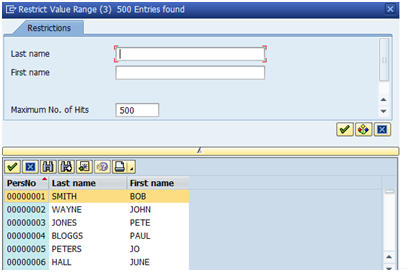
Now if you save, activate and test the search help again you will see that you have the 2 parameters available
on the search help to further restrict the value list. You may need to expand the view using the little arrow to see this additional
options.
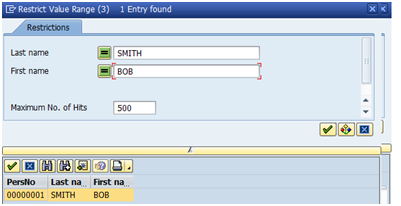
Enter values in the additional parameters and notice how the hit list is restricted
Step7 - Change Dialog behaviour
Just to demonstrate what this option does, ensuring you still have values within the SPos column change the dialog
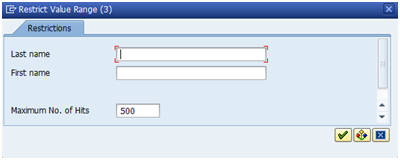
behaviour from 'Display values immediately' to 'Dialog with value restriction'
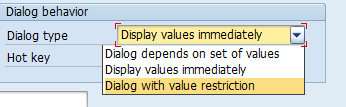
Now when you test it you should notice that the parameter restriction fields are display before you see the value results list.
You could also add defaults to these fields using the default column. This option may be usful if the search help returns lots of values
as it gives the user an option to restrict further before the data is retrieved and displayed.
Step 8 - Assign matchcode to report parameter
If you have created your search help to be matchcode compatible (i.e. less than 5 chars long)
you can add the following line of ABAP code into your program:
PARAMETER p_prog LIKE trdir-name MATCHCODE OBJECT zsh.
alternatively see other methods of adding a search help.